How to Unlock SoftBank & Y!mobile Huawei and ZTE Routers (2026 Guide)
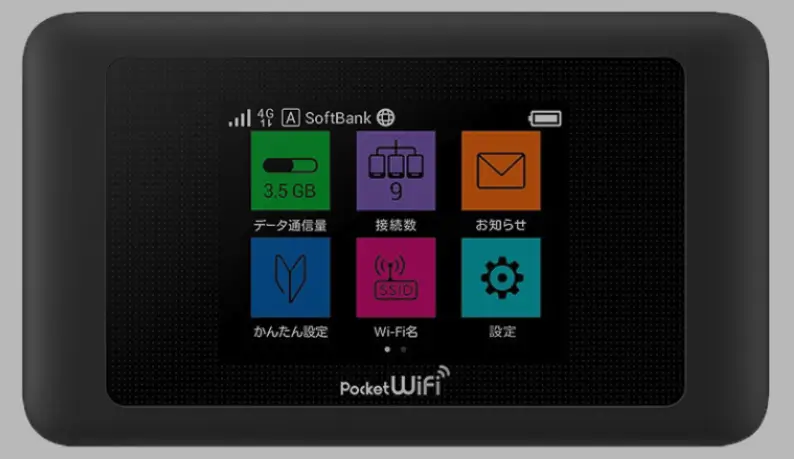
SoftBank and its subsidiary Y!mobile are two of Japan’s largest mobile carriers. They sell a wide range of Huawei and ZTE portable WiFi routers, all locked to their network. We have successfully unlocked over 35 models from both carriers using unlock codes and remote software.
Table of Contents
The unlock method depends on the manufacturer: Huawei models use V4 or V5 unlock codes, while ZTE models typically require remote software unlocking.
Supported Huawei Models (Unlock by Code)
| Model | Carrier | Code Version | Code Format |
|---|---|---|---|
| 005HW | SoftBank | V4 | 8-digit numeric |
| 102HW | SoftBank | V4 | 8-digit numeric |
| 203HW | SoftBank | V4 | 8-digit numeric |
| 301HW | SoftBank | V4 | 8-digit numeric |
| 303HW / 304HW | SoftBank | V4 | 8-digit numeric |
| 401HW | SoftBank / Y!mobile | V4 or V5 | 8 or 16 digit |
| 501HW / 502HW / 504HW / 506HW | SoftBank / Y!mobile | V5 | 16-digit alphanumeric |
| 602HW / 603HW | SoftBank / Y!mobile | V5 | 16-digit alphanumeric |
| HWD36 / HWD37 | Y!mobile | V5 | 16-digit alphanumeric |
| 801HW | SoftBank | V5 | 16-digit alphanumeric |
Supported ZTE Models (Remote Software Unlock)
| Model | Carrier | Unlock Method |
|---|---|---|
| 004Z / 007Z / 008Z / 009Z | SoftBank | Remote software (no code prompt) |
| 102Z / 202Z / 203Z | SoftBank | Remote software |
| 203ZT / 301Z | SoftBank / Y!mobile | Remote software |
| 303ZT / 304ZT / 305ZT / 306ZT | Y!mobile | Remote software |
| 403ZT / 502ZT | Y!mobile | Remote software |
| 602ZT / 801ZT / 802ZT / 803ZT | Y!mobile | Remote software |
| 840ZT | Y!mobile | Remote software |
Note: Some ZTE models may prompt for an unlock code. If yours does, visit our ZTE Unlock Code page instead.
V4 vs V5: Which Code Do You Need?
| Feature | Version 4 | Version 5 |
|---|---|---|
| Code Format | 8-digit numeric | 16-digit alphanumeric |
| Typical Models | 005HW, 102HW, 203HW, 301HW, 303HW | 501HW, 602HW, 801HW, HWD36 |
| How to Check | Insert foreign SIM — router asks for 8-digit code | Insert foreign SIM — router asks for 16-digit code |
| Price | Lower | Higher (complex generation) |
Not sure which version? Message us on WhatsApp with your model number and we will tell you.
How to Unlock Huawei SoftBank Routers (Code Method)
Find Your IMEI Number
- Power on the router and connect via Wi-Fi
- Open a browser and go to 192.168.128.1 (SoftBank default) or 192.168.8.1
- Go to Device Information and copy the 15-digit IMEI
Purchase Your Unlock Code
- For V4 models: go to Huawei V4 Unlock Code
- For V5 models: go to Huawei V5 Unlock Code
- Enter your IMEI and email, complete payment
Enter the Unlock Code
- Insert a non-SoftBank SIM card
- Power on and access the web interface
- Enter the unlock code when prompted and click Apply
- Your router is now permanently unlocked
How to Unlock ZTE SoftBank/Y!mobile Routers (Remote Method)
ZTE models from SoftBank and Y!mobile do not prompt for an unlock code. Remote software unlocking is required.
What You Need
- Windows PC with stable internet
- USB cable to connect your ZTE router
- Remote desktop software: AnyDesk, RustDesk, or TeamViewer
Process
- Connect ZTE router to PC via USB
- Open remote desktop app and send us your connection ID
- Our technician unlocks the device in 10–20 minutes
Frequently Asked Questions
How do I know if my Huawei router is V4 or V5?
Insert a non-SoftBank SIM card and power on. If the router asks for an 8-digit code, it is V4. If it asks for a 16-digit code, it is V5. You can also message us your model number and we will confirm.
Can I use these routers outside Japan?
Yes. Once unlocked, they work with any carrier whose LTE bands match the device. Many SoftBank/Y!mobile routers support international bands and work well in Asia, Europe, and other regions.
Is the unlock permanent?
Yes. Both code-based and remote software unlocks are permanent. They survive firmware updates and factory resets.
What is the difference between SoftBank and Y!mobile?
Y!mobile is a subsidiary of SoftBank. Both use the same network infrastructure. Devices from either carrier can be unlocked using the same methods described in this guide.
Watch: SoftBank Router Unlock Demonstrations
Get Your SoftBank Router Unlocked Today
Contact us through any of the channels below — we are available 24/7.