How to Unlock Huawei E5770, E5771, E5773, E5775, E5776 & E5778 MiFi Routers (2026 Guide)
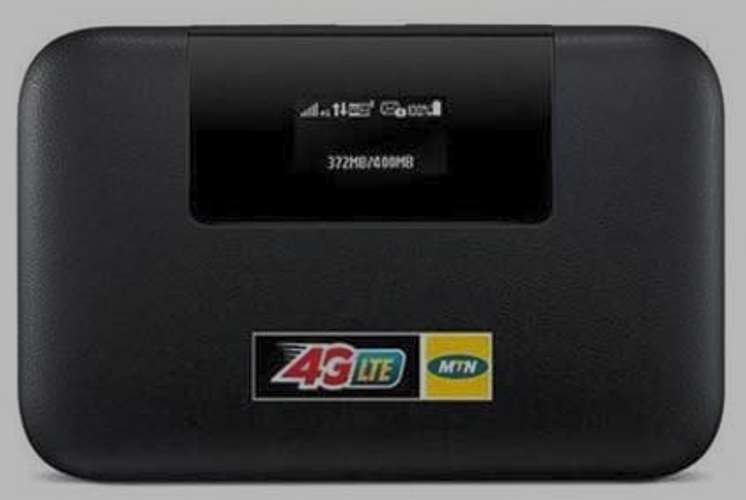
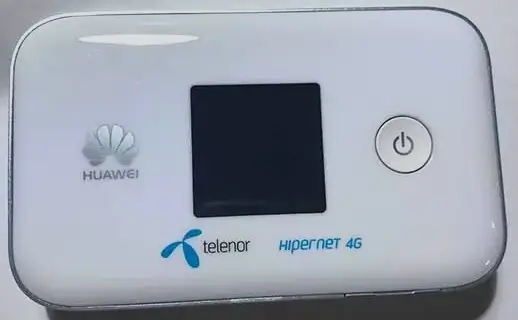
The Huawei E5770, E5771, E5773, E5775, E5776, and E5778 are Huawei’s premium 4G LTE mobile WiFi devices. Unlike standard MiFi hotspots, these feature built-in Ethernet ports, massive batteries (up to 9,600 mAh), and power bank functionality to charge your phone. They support LTE Cat 4 at 150 Mbps.
Table of Contents
These devices are sold locked through carriers worldwide and use V4 (8-digit) unlock codes.
Supported Models
| Model | Battery | Working Time | Key Feature |
|---|---|---|---|
| E5770 / E5770s-320 | 5,200 mAh | Up to 20 hours | Mobile WiFi Pro — Ethernet port + power bank |
| E5771 / E5771h-937 / E5771s-853 | 9,600 mAh | Up to 38 hours | WiFi Plus — largest battery, charges other devices |
| E5773 | 5,200 mAh | Up to 20 hours | Compact WiFi Pro variant |
| E5775 | ~3,560 mAh | Up to 12 hours | Mid-range variant |
| E5776 / E5776s | ~3,000 mAh | Up to 10 hours | LTE Cat 4, dual-band WiFi |
| E5778 | ~3,000 mAh | Up to 10 hours | Slim design variant |
What Makes These Premium?
- Ethernet port (RJ45) — the E5770 and E5771 have a LAN port for wired connection to a PC, smart TV, or gaming console
- Power bank function — charge your smartphone or tablet via USB from the MiFi’s battery
- Massive battery — the E5771 lasts up to 38 hours on a single charge (9,600 mAh)
- 11 connections — 10 WiFi + 1 USB simultaneously
How to Unlock
Find Your IMEI
- Power on and connect via WiFi or Ethernet
- Go to 192.168.8.1, log in with admin / admin
- Copy the 15-digit IMEI from Device Information
Purchase and Enter V4 Code
- Go to our Huawei V4 Unlock Code page
- Enter IMEI and email, complete payment
- Insert a non-original SIM, enter the 8-digit code
- Device is permanently unlocked
Frequently Asked Questions
Which model has the longest battery?
The E5771 (WiFi Plus) with its 9,600 mAh battery lasts up to 38 hours — nearly double the E5770 (20 hours). It also functions as a high-capacity power bank.
Can I use the Ethernet port after unlocking?
Yes. Unlocking only removes the SIM lock. The Ethernet port, power bank function, and all other features remain fully operational.
Is the unlock permanent?
Yes. Permanent through firmware updates and factory resets.
Additional Huawei Sub-Models We Now Support
The Huawei E5770 / E5771 / E5773 / E5775 / E5776 / E5778 MiFi models below were recently added to our supported devices list. The unlock procedure is identical to the one described above — submit the IMEI, pay, and receive the unlock code by email within the stated delivery window.
- E5776s-32 — sub-variant of the E5776 family
If your exact model isn’t listed, run a free IMEI check first — our database is updated weekly and many newer variants are supported even if they aren’t named yet.
Watch: Unlock Demonstration
Get Your MiFi Unlocked Today
Contact us — we are available 24/7.