How to Unlock ZLT 4G & 5G Routers Remotely Using Software (2026 Guide)
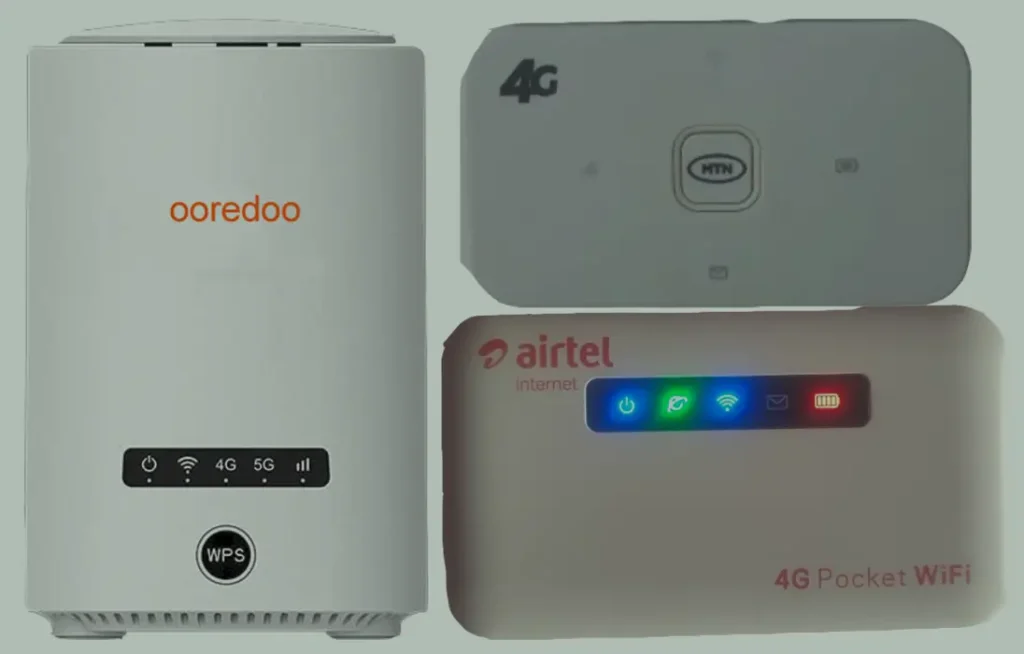
ZLT (manufactured by Tozed Kangwei Technology) produces a wide range of 4G LTE and 5G routers and MiFi devices sold through African and Middle Eastern carriers including MTN, Airtel, Glo, Safaricom, Spectranet, Zain, and STC. These devices are heavily deployed across Nigeria, Ghana, Kenya, South Africa, and Saudi Arabia.
Table of Contents
Unlike Huawei, ZTE, or Alcatel routers, ZLT devices do not have an unlock code prompt. Their custom firmware suppresses the standard SIM lock interface entirely. This means the traditional “insert new SIM → enter code” method does not work.
Instead, ZLT routers require remote software unlocking — a specialized tool that our technicians run on your computer via remote desktop to permanently remove the carrier lock.
Supported ZLT Models
ZLT 4G LTE Models
| Model | Type | Common Carrier |
|---|---|---|
| M30 / M30s / M30T | Portable MiFi | MTN, Airtel |
| A10 / A11 | Portable MiFi | Various |
| P10+ / P11 / P20 / P21 / P25 | Indoor CPE | MTN, Spectranet |
| P48 / P55 / P90 | Indoor CPE | Various |
| S10 / S10G / S12 / S20 / S25 / S30 / S50 | Indoor CPE | MTN, Glo, Airtel |
| T30 / T30D | Indoor CPE | MTN, Spectranet |
ZLT 5G Models
| Model | Type | Key Feature |
|---|---|---|
| X01 / X10 / X11 / X16 | 5G Indoor CPE | Sub-6 GHz 5G, Wi-Fi 6 |
| X20 / X21 / X25 | 5G Indoor CPE | SA/NSA 5G, Gigabit Ethernet |
| X28 | 5G Indoor CPE | Wi-Fi 6 (802.11ax), multi-port Ethernet |
| X30 / X50 | 5G Indoor CPE | Latest generation 5G |
| KJ33 | 5G Indoor CPE | Carrier-specific variant |
Other ZLT models not listed are also supported. Contact us on WhatsApp with your model number to confirm.
Why ZLT Routers Cannot Be Unlocked by Code
Most router manufacturers (Huawei, ZTE, Alcatel) include an unlock code prompt in their firmware — when you insert a foreign SIM, the device asks for a code. ZLT’s firmware is different:
- No unlock code prompt — the web interface does not display any SIM unlock option
- Locked APN profiles — some models restrict APN settings to the original carrier only
- Custom firmware — each carrier receives a uniquely branded firmware build
This is why remote software unlocking is the only method that works for ZLT devices.
How Remote Unlocking Works
Prepare Your Computer
- You need a Windows PC (Windows 10 or 11) with a stable internet connection
- A USB cable to connect your ZLT router/MiFi to the computer
- For indoor CPE routers, an Ethernet cable connection works too
Install Remote Desktop Software
Download and install one of the following:
- AnyDesk — lightweight, fast (recommended)
- RustDesk — open-source, privacy-focused
- TeamViewer — widely used alternative
Connect and Share Access
- Connect your ZLT device to your computer via USB cable
- Open your remote desktop app and send us your connection ID via WhatsApp or Telegram
- Our technician will connect to your computer securely
Unlock Process
- Our technician runs the specialized unlock software on your computer
- The tool communicates with the ZLT device via USB to remove the carrier lock
- The entire process takes approximately 10 to 20 minutes
- Once complete, your device is permanently unlocked and accepts any SIM card
Frequently Asked Questions
Is the remote unlock safe?
Yes. Our technician only accesses your computer to run the unlock tool. You can watch the entire process on your screen. The session ends as soon as the unlock is complete, and you can disconnect at any time.
Will this void my warranty?
The unlock process does not modify the device firmware or hardware. It removes the SIM carrier restriction only. However, unlocking a carrier-subsidized device may affect your carrier warranty terms.
Is the unlock permanent?
Yes. The unlock persists through power cycles, SIM changes, and factory resets. You will not need to repeat the process.
Can I use a Mac instead of Windows?
Currently, our ZLT unlock tools require Windows only. If you do not have access to a Windows PC, let us know and we can discuss alternatives.
My MTN ZLT M30s is locked — can you unlock it?
Yes. The MTN-branded ZLT M30s is one of the most commonly unlocked devices in our service. We have a 100% success rate with this model.
Additional ZLT / ZTE Sub-Models We Now Support
The ZLT 4G & 5G CPE router (software-unlocked) models below were recently added to our supported devices list. The unlock procedure is identical to the one described above — submit the IMEI, pay, and receive the unlock code by email within the stated delivery window.
- F32 Pro — 5G outdoor CPE (ZLT branded)
- K10 — 4G+ LTE indoor CPE
- K12 — 4G+ LTE indoor CPE
- K12A — 4G+ LTE indoor CPE (A revision)
- K20 — 4G+ LTE outdoor CPE
If your exact model isn’t listed, run a free IMEI check first — our database is updated weekly and many newer variants are supported even if they aren’t named yet.
Watch: ZLT Remote Unlock Demonstration
Get Your ZLT Router Unlocked Today
Contact us through any of the channels below — we are available 24/7.