How to Unlock ZTE 4G LTE Mobile WiFi (MF970, MF903, MF905, MF935, MF927 & More) (2026 Guide)

ZTE produces one of the largest ranges of 4G LTE mobile WiFi hotspots on the market. This guide covers the MF9xx series — pocket-sized portable routers sold by carriers across every continent. Models like the MF970, MF927, MF935, MF971, MF905, and MF980 are commonly locked to MTN, Airtel, Vodafone, Telstra, Optus, MegaFon, T-Mobile, and Busy Internet.
Table of Contents
Most ZTE MiFi devices can be unlocked with an unlock code. Some with custom carrier firmware require remote software unlocking.
Supported Models
| Model Group | Models | Network |
|---|---|---|
| MF970 Series | MF970, ZTE Flare, R212-Z | LTE Cat 6 (300 Mbps) |
| MF903/905 | MF903, MF905, MF975, MF975S | LTE Cat 4-6 |
| MF971 Series | MF971, MF971VS, MF971L, MF971R, MF971V | LTE Cat 6 |
| MF935/937 | MF935, MF937, MF93D, MF93E | LTE Cat 4 |
| MF927 Series | MF927, MF927U, MF927VS, MF927U4 | LTE Cat 4 |
| MF980 Series | MF980, MF98N, MF97S | LTE Cat 6 |
| Older Models | MF96, MF96U, GL09P, Z917, Z915, MF95, MF923, MF900, MF91, MF915 | LTE Cat 3-4 |
| Other | WD660, MF271, VM6200, R230, R216-Z | LTE Cat 4 |
Unlock Methods
| Method | When to Use |
|---|---|
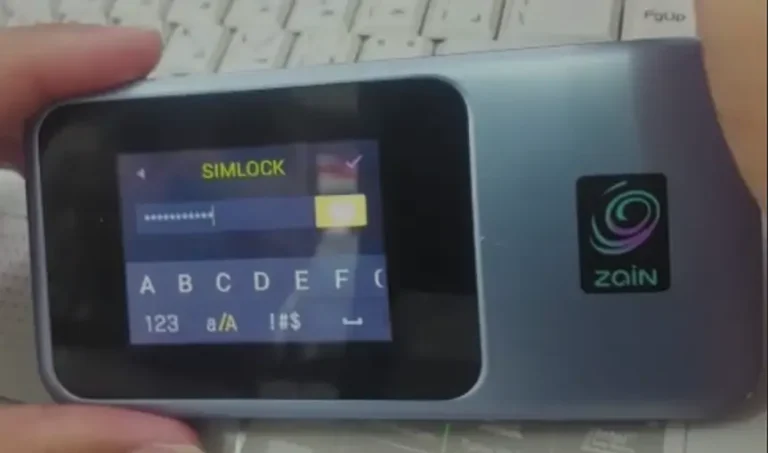
| Unlock Code | Device prompts for code when foreign SIM inserted |
| Remote Software | Device does NOT prompt (custom carrier firmware) |
Unlock by Code
Find Your IMEI
- Power on MiFi, connect via Wi-Fi
- Go to 192.168.0.1 or 192.168.1.1
- Copy the 15-digit IMEI
Purchase and Enter Code
- Go to our ZTE Unlock Code page
- Enter IMEI and email, complete payment
- Insert a non-original SIM, enter code when prompted
- Device is permanently unlocked
Remote Software Unlock
If your device does not prompt for a code, request remote unlocking. You need a Windows PC, USB cable, and AnyDesk or TeamViewer. Process takes 10–20 minutes.
Frequently Asked Questions
How do I know if I need code or remote?
Insert a foreign SIM. If the device asks for a code, buy a code. If it doesn’t prompt, you need remote software unlocking.
Is the unlock permanent?
Yes. Both methods produce a permanent unlock.
Additional ZTE Sub-Models We Now Support
The ZTE 4G LTE Mobile WiFi models below were recently added to our supported devices list. The unlock procedure is identical to the one described above — submit the IMEI, pay, and receive the unlock code by email within the stated delivery window.
- MF936 — 4G LTE Cat4 pocket MiFi
- MF985T — 4G+ LTE Cat6 pocket MiFi (T revision)
- MF935N — sub-variant of the MF935 family
- R216H — sub-variant of the R216 family
If your exact model isn’t listed, run a free IMEI check first — our database is updated weekly and many newer variants are supported even if they aren’t named yet.
Watch: ZTE MiFi Unlock
Get Your MiFi Unlocked Today
Contact us — we are available 24/7.