























How to Unlock ZTE 5G Routers & MiFi with Unlock Code (2026 Guide)
Last updated: June 13, 2026 · By the Tech Unlock Hub team
Table of Contents
In short: ZTE 5G routers and MiFi (MC801A, MC888, MC889, MF286, MF927U, MU5001, MU5002, MU5120, U30, and more) are unlocked with a per-IMEI unlock code drawn from the official ZTE manufacturer database. For carrier-modified firmware where standard codes don’t work, Tech Unlock Hub also offers a remote unlocking method at no extra charge. Most codes land within 1-48 hours via email. The unlock is permanent and survives firmware updates and factory resets. Refund is automatic if no code can be sourced.
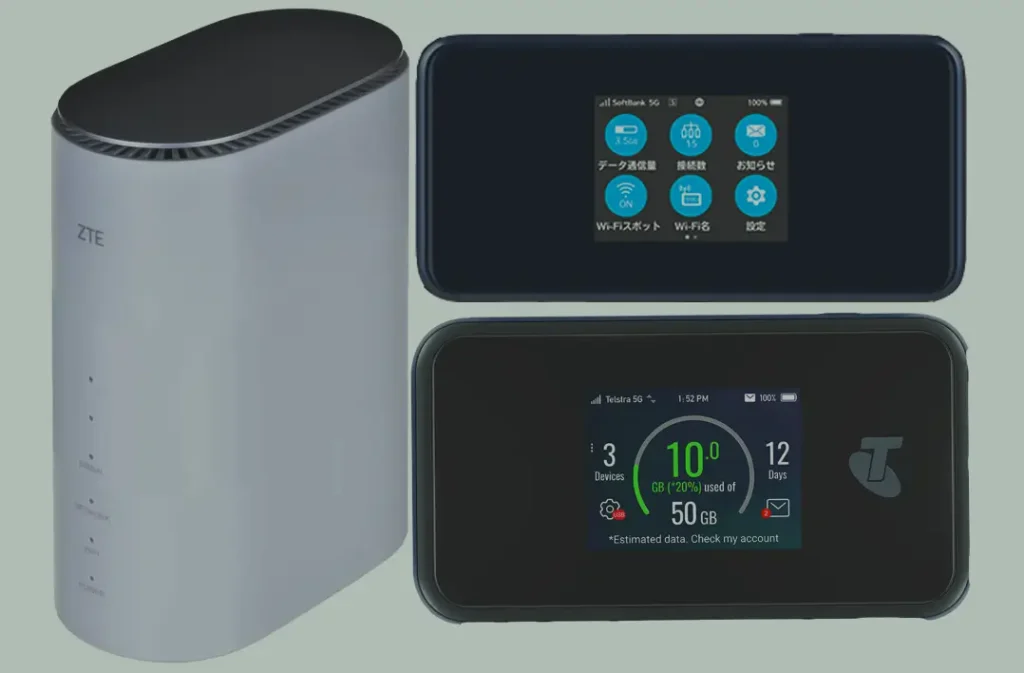
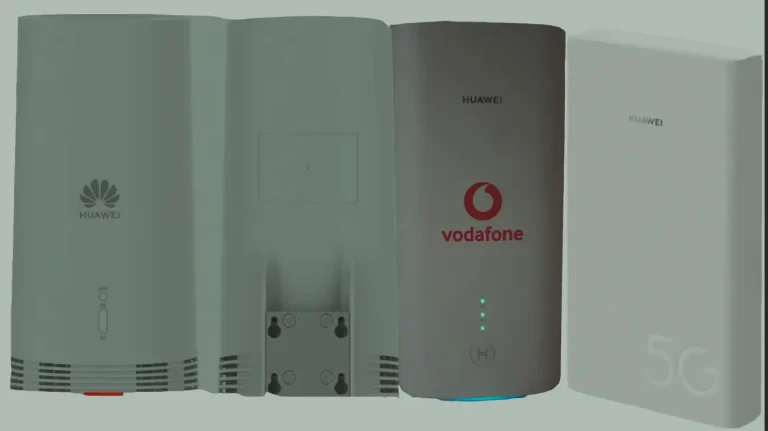
ZTE has established itself as one of the leading manufacturers of 5G CPE routers and mobile hotspots, delivering reliable high-speed connectivity that rivals Huawei and Nokia. Models like the MC801, MC888, and MU5120 are deployed by carriers worldwide including Vodafone, T-Mobile, EE, Telstra, Zain, and MTN.
However, these devices typically ship network-locked to the original carrier, preventing you from using SIM cards from other providers. This guide explains how to unlock any ZTE 5G router or MiFi using an unlock code — restoring full freedom to use any network.
Why Unlock Your ZTE 5G Router?
- Use any SIM card worldwide — switch carriers freely for the best rates and coverage
- Save on roaming — insert local SIM cards when traveling internationally
- Increase resale value — unlocked devices command higher prices on the secondhand market
- No contract dependency — use your device independently of any carrier agreement
Supported ZTE 5G CPE Routers
We have tested and verified unlock codes for the following ZTE 5G indoor CPE routers with a 100% success rate:
| Model | Type | Network | Key Feature |
|---|---|---|---|
| MC801 / MC801A | Indoor CPE | 5G Sub-6 | Qualcomm X55, Wi-Fi 6, up to 2.8 Gbps |
| MC8020 | Indoor CPE | 5G Sub-6 (NSA + SA) | Wi-Fi 6, 4×4 MIMO, up to 5.4 Gbps, 128 users |
| MC888 / MC888S / MC888D / MC8810 | Indoor CPE | 5G Sub-6 + mmWave | Qualcomm X62, Wi-Fi 6E, 2.5 Gbps Ethernet |
| MC889 | Outdoor CPE (ODU) | 5G Sub-6 + 4G LTE Cat16 | Snapdragon X62, IP67 weatherproof, 2.5 Gbps Ethernet, indoor Wi-Fi 6 unit included |
| MC3010 | Indoor CPE | 5G Sub-6 | Entry-level 5G home broadband |
| MC6000 / MC6010 / MC6010R | Indoor CPE | 5G Sub-6 | Enterprise-grade, external antenna ports |
| MC7010 | Indoor CPE | 5G Sub-6 | High-performance home router |
| MC7500 / MC7510 / MC7520 / MC7530 | Indoor CPE | 5G Sub-6 | Latest generation ZTE 5G routers |
| MC8010CA | Indoor CPE | 5G Sub-6 | Canadian carrier variant |
| MC8512 (G5 PRO) | Indoor CPE | 5G Sub-6 + mmWave | Premium flagship model |
| MF18 / MF18A | Indoor CPE | 5G Sub-6 | Compact 5G home gateway |
Supported ZTE 5G MiFi (Mobile Hotspots)
| Model | Type | Network | Key Feature |
|---|---|---|---|
| MU5120 | Portable MiFi | 5G Sub-6 | Battery-powered, Wi-Fi 6, touchscreen |
| MU500 / MU5001 / MU5001U / MU5002 | Portable MiFi | 5G Sub-6 | Compact 5G hotspot series |
| MU5250 | Portable MiFi | 5G Sub-6 | Latest 5G portable hotspot |
| F50 | Portable MiFi | 5G Sub-6 | Budget 5G hotspot |
| U10S Pro / U30 / U50 | Portable MiFi | 5G Sub-6 | ZTE U-series mobile hotspots |
| A102ZT / A004ZT | Portable MiFi | 5G Sub-6 | SoftBank Japan variants |
Also supported: G5B, G5C, G5F, G5TS, G5FA and other regional ZTE 5G variants. If your model is not listed, contact us on WhatsApp to confirm compatibility.
How to Unlock ZTE 5G Routers with an Unlock Code
The standard unlock process works for most ZTE 5G devices. Follow these steps:
Access Your Router’s Admin Panel
- Power on your ZTE 5G router and connect via Wi-Fi or Ethernet cable
- Open a web browser and go to 192.168.0.1 (or 192.168.1.1 depending on model)
- Log in with the default credentials — typically admin / admin (check the label on your device)
Find Your IMEI Number
- In the admin panel, navigate to Device Information or About
- Copy the 15-digit IMEI number — you will need this to generate your unlock code
- Alternatively, check the sticker on the bottom of your router
Purchase Your Unlock Code
- Go to our ZTE Unlock Code page
- Enter your IMEI number and email address
- Complete the payment — your unlock code will be delivered to your email
Insert a New SIM Card
- Power off your ZTE router
- Remove the current SIM card and insert a SIM from a different carrier
- Power the device back on
Enter the Unlock Code
- The router will detect the new SIM and prompt you for an unlock code
- Enter the code you received from us and click Submit or Apply
- Your router is now permanently unlocked — it will accept any SIM card going forward
Configure APN Settings (If Needed)
If your router does not automatically connect to the new network after unlocking, you may need to manually configure the APN:
- Go to Network > APN Settings in the admin panel
- Enter the APN details provided by your new carrier (check their website or call support)
- Save and restart the router
Remote Unlocking for Carrier-Modified Firmware
Some carriers — particularly MTN Nigeria, Zain Saudi Arabia, and certain Telstra variants — ship ZTE routers with custom firmware that suppresses the unlock code prompt. These devices cannot be unlocked with a code alone.
For these models, we offer a remote desktop unlocking service using specialized software tools:
What You Need for Remote Unlocking
- A Windows PC with a stable internet connection
- A USB cable to connect your MiFi or router to the computer
- Remote desktop software: AnyDesk, RustDesk, or TeamViewer
Our technician will connect to your computer remotely and perform the unlock procedure. The process typically takes 10 to 20 minutes, and your device will be permanently unlocked upon completion.
Contact us on WhatsApp to arrange a remote unlock session.
Frequently Asked Questions
Is the unlock permanent?
Yes. Once unlocked with our code or remote method, your ZTE router is permanently unlocked. It will accept any SIM card even after firmware updates or factory resets.
Will unlocking void my warranty?
No. Network unlocking does not modify the device firmware or void the manufacturer warranty. It is the same process carriers use internally when they unlock devices for customers.
What happens if the unlock code does not work?
If the standard code does not work (which may happen with carrier-modified firmware), we will switch to our remote unlocking method at no extra charge. We guarantee a successful unlock or your money back.
Do you support all countries and carriers?
Yes. We have successfully unlocked ZTE 5G routers from carriers in over 50 countries, including Vodafone, T-Mobile, AT&T, EE, O2, Telstra, Optus, Zain, MTN, Airtel, Orange, and many more.
What is a ZTE unlock code?
A ZTE unlock code is a per-IMEI Network Control Key (NCK) that releases the carrier lock on ZTE 5G routers, MiFi devices, and modems. It is generated against the device’s 15-digit IMEI by ZTE’s manufacturer-side code-generation pipeline. Once entered through the router’s web admin interface (typically at 192.168.0.1 or 192.168.5.1), the code permanently releases the carrier lock at the modem level. For carrier-modified firmware where a standard NCK does not apply, the fallback is a remote-unlock procedure.
Is it legal to unlock a ZTE router?
Yes. Unlocking a device you own is legal in virtually every country, including the EU, US, UK, Saudi Arabia, UAE, Ghana, Nigeria, Kenya, South Africa, India, and Pakistan. The unlock removes only the carrier lock — it does not modify ZTE’s firmware, bypass spectrum licensing, or affect the device’s regulatory compliance.
Additional ZTE Sub-Models We Now Support
The ZTE 5G router / MiFi models below were recently added to our supported devices list. The unlock procedure is identical to the one described above — submit the IMEI, pay, and receive the unlock code by email within the stated delivery window.
- G5B1 — 5G fixed wireless CPE
- MC7500 / G5FA — 5G CPE (carrier-branded G5 family)
- MC801A1 — refreshed MC801A 5G CPE
- MC8531 — 5G outdoor CPE
- U10 — 5G mobile hotspot
- U10E — 5G mobile hotspot (export variant)
- U20 — 5G mobile hotspot (carrier variant)
- Z999 — 5G mobile hotspot (carrier-branded)
- MC888A — sub-variant of the MC888 family
- MC888A Ultra — sub-variant of the MC888 family
- MC889 Pro — sub-variant of the MC889 family
- MC889A — sub-variant of the MC889 family
- MU5250 / U60 Pro — sub-variant of the MU5250 family
- U30 Air — sub-variant of the U30 family
- ZTE Blade A31 Plus — sub-variant of the ZTE family
If your exact model isn’t listed, run a free IMEI check first — our database is updated weekly and many newer variants are supported even if they aren’t named yet.
Watch: ZTE 5G Router Unlock Demonstration
See the unlock process in action:
Get Your ZTE Router Unlocked Today
Contact us through any of the channels below — we are available 24/7 and most unlocks are completed within minutes.
Written and maintained by the Tech Unlock Hub team. We process ZTE 5G router and MiFi unlock requests daily through the manufacturer pipeline, with remote-unlock fallback for carrier-modified firmware. Spotted an error or a new ZTE model we should add? Email us at [email protected].

5 Comments
Hey people!!!!!
Good mood and good luck to everyone!!!!!
Thank you.
Hello.
Good cheer to all on this beautiful day!!!!!
Good luck 🙂
hi
Hello, what’s the model of the router you want to unlock?