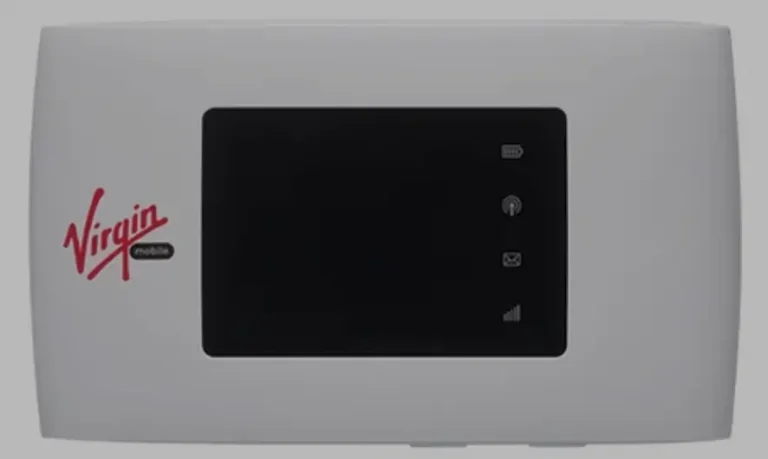
How to Unlock Huawei E5575 (PocketCube) & E8378 (WebCube4) Routers (2026 Guide)
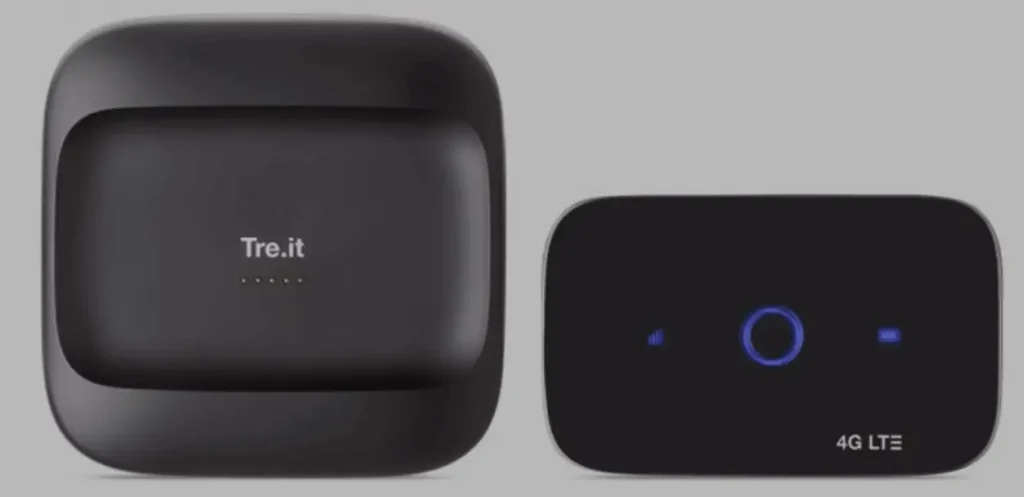
The Huawei E5575 (PocketCube) and E8378 (WebCube4) are two popular 4G LTE WiFi devices from Huawei’s consumer router lineup. The E5575 is a compact portable MiFi hotspot, while the E8378 is a desktop cube-shaped home router — both delivering 150 Mbps download speeds via LTE Cat 4.
Table of Contents
These devices are sold through carriers like Vodafone, Orange, EE, T-Mobile, and Three across Europe and ship locked to the original network. Unlocking requires an unlock code generated from your IMEI number.
Supported Models
| Model | Marketing Name | Type | Key Specs |
|---|---|---|---|
| E5575 | PocketCube | Portable MiFi | LTE Cat 4, 150 Mbps, Wi-Fi b/g/n |
| E5575s-210 | PocketCube | Portable MiFi | LTE Cat 4, 150 Mbps, compact cube design |
| E5575s-320 | PocketCube | Portable MiFi | LTE Cat 4, 150 Mbps, regional variant |
| E8378 | WebCube4 | Desktop Home Router | LTE Cat 4, 150 Mbps, 10 devices |
| E8378Ws | WebCube4 | Desktop Home Router | LTE Cat 4, 150 Mbps, cube design |
| E8378Ws-210 | WebCube4 | Desktop Home Router | LTE Cat 4, 150 Mbps, European variant |
PocketCube vs WebCube4: What’s the Difference?
| Feature | E5575 (PocketCube) | E8378 (WebCube4) |
|---|---|---|
| Type | Portable MiFi with battery | Desktop router (mains powered) |
| Max Speed | 150 Mbps down / 50 Mbps up | 150 Mbps down / 50 Mbps up |
| Connected Devices | Up to 10 | Up to 10 |
| Power | Built-in rechargeable battery | USB/mains power (no battery) |
| Design | Ultra-compact cube, pocket-sized | Larger cube, desk/shelf placement |
| Best For | Travel, on-the-go connectivity | Home/office fixed broadband |
Why Unlock Your Router?
- Use any SIM card — switch carriers for better coverage or pricing
- International travel — insert local SIM cards instead of paying roaming fees
- Higher resale value — unlocked devices sell for significantly more
- No contract dependency — use the device after your carrier agreement ends
How to Unlock Your Huawei E5575 or E8378
Find Your IMEI Number
- Power on the device and connect via Wi-Fi
- Open a browser and go to 192.168.8.1
- Log in with default credentials — typically admin / admin
- Go to Device Information and copy the 15-digit IMEI number
- Alternatively, check the label on the device or under the battery cover
Determine Your Code Version
Insert a non-original SIM card and power on. Check what the device asks for:
- 8-digit code → Version 4 — go to Huawei V4 Unlock Code
- 16-digit code → Version 5 — go to Huawei V5 Unlock Code
Not sure? Message us on WhatsApp with your model and we will confirm.
Purchase Your Unlock Code
- Go to the appropriate unlock code page (V4 or V5)
- Enter your IMEI number and email address
- Complete the payment — your unlock code will be delivered to your email
Enter the Unlock Code
- Insert a SIM card from a different carrier
- Power on and access 192.168.8.1
- The web interface will prompt for an unlock code
- Enter the code and click Apply
- Your device is now permanently unlocked
Configure APN Settings (If Needed)
If the device does not connect after unlocking:
- Go to Settings > Network > APN in the web interface
- Create a new APN profile with your carrier’s details
- Save and restart the device
Frequently Asked Questions
Is the E5575 PocketCube V4 or V5?
Most E5575 models are Version 4 (8-digit code). Some newer firmware versions may require V5. The easiest way to check is to insert a foreign SIM — the router will tell you how many digits it expects.
Can the E8378 WebCube4 be used as a portable device?
No. The E8378 is a mains-powered desktop router without a built-in battery. It is designed for fixed home or office use. For portable use, choose the E5575 PocketCube.
Is the unlock permanent?
Yes. Once the code is accepted, both the E5575 and E8378 are permanently unlocked. The unlock survives firmware updates and factory resets.
How long does code delivery take?
V4 codes are typically delivered instantly to 1 hour. V5 codes may take 1 to 24 hours.
Get Your Device Unlocked Today
Contact us through any of the channels below — we are available 24/7.