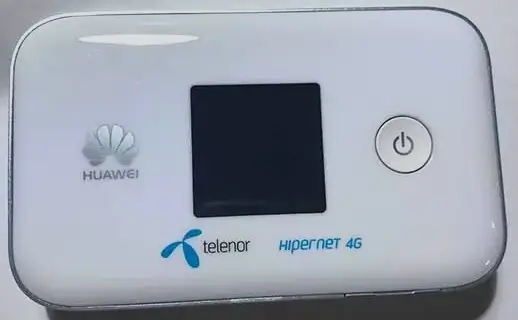
How to Unlock Huawei E5783, E5785, E5786, E5787 & E5788 Mobile Routers (2026 Guide)
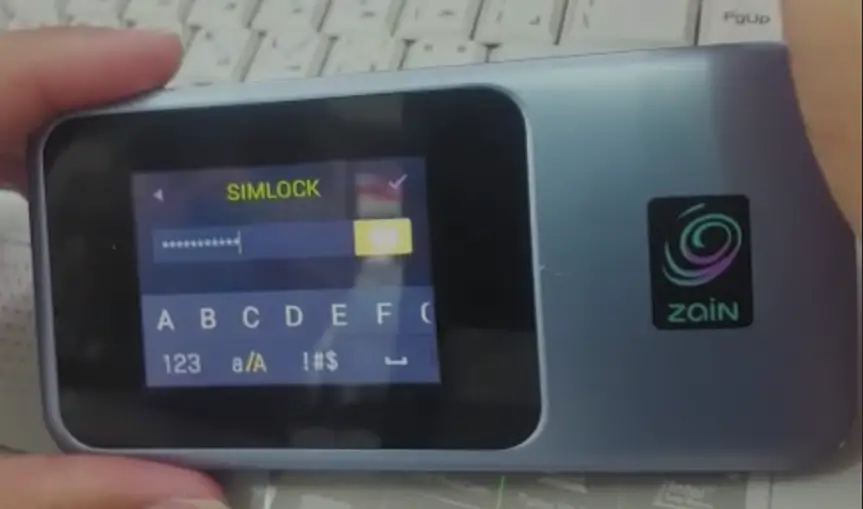
The Huawei E5783, E5785, E5786, E5787, and E5788 are premium 4G LTE Advanced mobile WiFi hotspots, all supporting LTE Cat 6 with speeds up to 300 Mbps. These pocket-sized routers feature dual-band Wi-Fi ac, removable batteries, and external antenna ports — making them popular choices for travelers and remote workers.
Table of Contents
Carriers like Vodafone, EE, Three, Zain, STC, Optus, Telstra, and Orange sell these devices locked to their network. Unlocking requires a V4 or V5 code depending on the firmware version.
Supported Models
| Model | Category | Max Speed | Key Feature |
|---|---|---|---|
| E5783 | LTE Cat 6 | 300 Mbps | Compact design, dual-band Wi-Fi ac |
| E5785 / E5785-320 | LTE Cat 6 | 300 Mbps | Removable 3,000 mAh battery, 12h use, 16 devices |
| E5786 / E5786s-32a / E5786s-63a | LTE Cat 6 | 300 Mbps | Built-in battery (non-removable), slim design |
| E5787 / E5787Ph | LTE Cat 6 | 300 Mbps | 2.4″ color touchscreen, first Huawei MiFi with touch |
| E5788 / E5788u | LTE Cat 16 | 1 Gbps | Gigabit LTE, fastest Huawei portable hotspot |
Common Specs Across All Models
| Spec | Details |
|---|---|
| Wi-Fi | 802.11ac dual-band (2.4 GHz + 5 GHz) |
| Max Devices | 16 simultaneous connections |
| Battery | 3,000 mAh (varies by model), up to 12 hours |
| Antenna Ports | 2x TS-9 external antenna connectors |
| Standby | Up to 600 hours |
Which Code Version Do You Need?
Insert a non-original SIM card and check what the device asks for:
- 8-digit code → Version 4 — Buy V4 Code
- 16-digit code → Version 5 — Buy V5 Code
How to Unlock Your Huawei E578x
Find Your IMEI Number
- Power on and connect via Wi-Fi
- Open a browser and go to 192.168.8.1
- Log in with admin / admin
- Go to Device Information and copy the 15-digit IMEI
- On the E5787, you can also find the IMEI on the touchscreen under Settings
Purchase and Enter Code
- Go to the appropriate unlock code page (V4 or V5)
- Enter your IMEI and email, complete payment
- Insert a SIM from a different carrier
- Enter the code when prompted and click Apply
- Your device is now permanently unlocked
Configure APN (If Needed)
- Go to Settings > Network > APN at 192.168.8.1
- Add your new carrier’s APN details
- Save and restart
Frequently Asked Questions
What makes the E5787 special?
The E5787 is Huawei’s first mobile hotspot with a 2.4-inch color touchscreen. You can view connection status, data usage, and battery level directly on the device without opening a browser.
What is the E5788?
The E5788 is Huawei’s Gigabit LTE hotspot supporting LTE Cat 16 speeds up to 1 Gbps. It is the fastest portable Huawei hotspot available.
Is the E5785 battery removable?
Yes. The E5785 has a removable 3,000 mAh battery, unlike the E5786 which has a non-removable battery. This makes the E5785 easier to replace when the battery degrades.
Is the unlock permanent?
Yes. Both V4 and V5 unlocks are permanent and survive firmware updates and factory resets.
Additional Huawei Sub-Models We Now Support
The Huawei E5783 / E5785 / E5786 / E5787 / E5788 Mobile Router models below were recently added to our supported devices list. The unlock procedure is identical to the one described above — submit the IMEI, pay, and receive the unlock code by email within the stated delivery window.
- E5783-230a — sub-variant of the E5783 family
- E5785-320a — sub-variant of E5785 (global a-revision)
- E5785-330 — sub-variant of E5785 (Asia-Pacific variant)
- E5785-92c — sub-variant of E5785 (export variant)
- E5785Lh-22c — sub-variant of the E5785 family
- E5785Lh-23c — sub-variant of the E5785 family
- E5785Lh-92a — sub-variant of the E5785 family
- E5787Ph-67a — sub-variant of the E5787 family
- E5787s-33a — sub-variant of the E5787 family
- E5788u-96a — sub-variant of the E5788 family
If your exact model isn’t listed, run a free IMEI check first — our database is updated weekly and many newer variants are supported even if they aren’t named yet.
Watch: Unlock Demonstration
Get Your Router Unlocked Today
Contact us — we are available 24/7.