How to Unlock Huawei 3G Routers (B683, B260a, B970B & More) (2026 Guide)
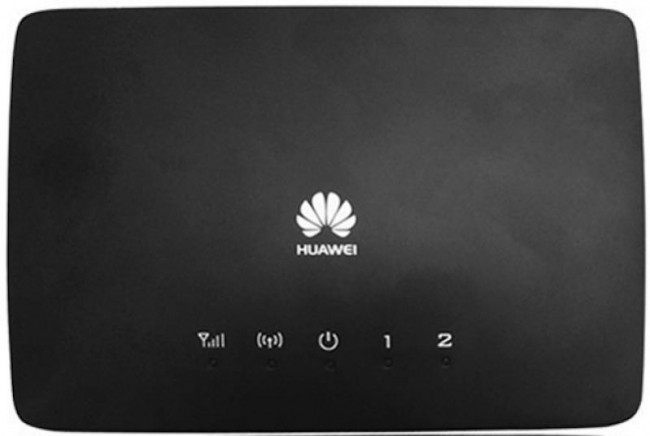
Huawei’s 3G router lineup — including the B683, B260a, B970B, B660, B183, B932, and E96x series — are classic home broadband devices that remain in use across many regions. These routers provide HSPA+ speeds up to 21.6 Mbps with Ethernet ports, Wi-Fi, and phone ports for VoIP.
Table of Contents
Despite being older models, they are still commonly found on the secondhand market. All use V3/4 (8-digit) unlock codes.
Supported Models
| Model | Type | Key Feature |
|---|---|---|
| B683 / B683-73 | 3G Home Router | 4x Ethernet, 2x Phone, USB |
| B260a | 3G Home Router | Compact design |
| B970B / B970 / B970c | 3G Home Router | Wi-Fi b/g/n |
| B660 | 3G Home Router | 4x Ethernet |
| B183 | 3G Home Router | Budget model |
| B932 / B932-55 / B933 / B933-55 | 3G Home Router | Enterprise variant |
| E968 / E961 / E960 / E960A / E970 | 3G Home Router | E-series classic models |
| B560 / B681 / B681-24 / B686 | 3G Home Router | Various carriers |
| B68L / B68L-25 / B68L-54 / B68A / B68A-24 | 3G Home Router | Regional variants |
| B680 / E8259 / E8259Ws-2 | 3G Home Router | Late-gen 3G models |
How to Unlock
Find Your IMEI
- Connect via Wi-Fi or Ethernet
- Go to 192.168.1.1 (or 192.168.8.1 on newer models)
- Log in and copy the 15-digit IMEI
Purchase and Enter Code
- Go to our Huawei V3/4 Unlock Code page
- Enter IMEI and email, complete payment
- Insert a non-original SIM, enter the 8-digit code
- Router is permanently unlocked
Frequently Asked Questions
These routers are old — can they still be unlocked?
Yes. We support all Huawei 3G routers regardless of age. V4 codes for 3G models are typically delivered instantly.
What is the default IP for 3G routers?
Most older Huawei 3G routers use 192.168.1.1. Newer ones may use 192.168.8.1. Check the label on your device.
Is the unlock permanent?
Yes. Permanent through all firmware updates and factory resets.
Additional Huawei Sub-Models We Now Support
The Huawei 3G router models below were recently added to our supported devices list. The unlock procedure is identical to the one described above — submit the IMEI, pay, and receive the unlock code by email within the stated delivery window.
- B190 — 3G HSPA indoor router
- E8259s-2 — sub-variant of E8259 (carrier S revision)
If your exact model isn’t listed, run a free IMEI check first — our database is updated weekly and many newer variants are supported even if they aren’t named yet.
Get Your Router Unlocked Today
Contact us — we are available 24/7.