How to Unlock Huawei B311, B312 & B316 4G LTE Routers (2026 Guide)
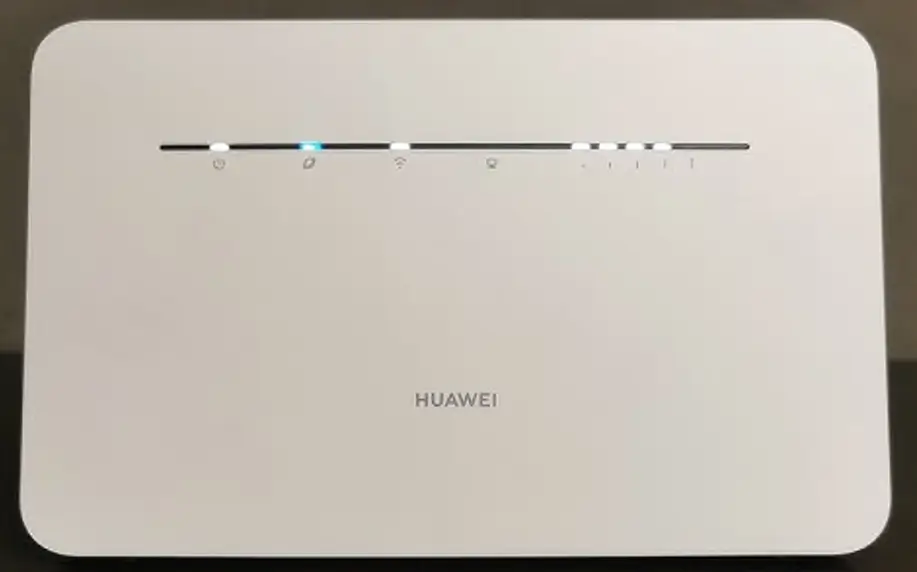
The Huawei B311, B312, and B316 are among the most widely deployed 4G LTE home routers in the world. Affordable, reliable, and compact, they are the go-to choice for carriers like Safaricom, MTN, Airtel, Zain, STC, Vodafone, Orange, and Telkom across Africa, the Middle East, and Asia.
Table of Contents
These routers ship carrier-locked and require a Version 5 (V5) unlock code — a 16-digit alphanumeric key — to use with any SIM card.
Supported Models
| Model | Common Carrier | Network |
|---|---|---|
| B311 / B311-221 / B311-520 / B311-521 | MTN, Safaricom, Airtel | LTE Cat 4 (150 Mbps) |
| B311Ah-35 / B311As-853 / B311B-853 | Various (Africa/Asia) | LTE Cat 4 |
| B311Bh-37 / B311s-220 / B311s-520 | Vodafone, Orange | LTE Cat 4 |
| B311-922 | Various | LTE Cat 4 |
| B312 / B312-620 / B312-926 / B312-929 | Zain, STC | LTE Cat 4 |
| B316 / B316-855 / B316-932 | Zain, Airtel, MTN | LTE Cat 4 |
Why the B311/B312/B316 Are So Popular
- Affordable — often the cheapest 4G router option from carriers
- Simple setup — insert SIM, power on, connect via Wi-Fi
- Ethernet port — 1x RJ45 for wired connection to PC or smart TV
- External antenna ports — 2x SMA connectors for signal boosting in rural areas
- Up to 32 devices — sufficient for home or small office use
How to Unlock Your Huawei B311/B312/B316
Find Your IMEI Number
- Connect to the router via Wi-Fi or Ethernet
- Open a browser and go to 192.168.8.1
- Log in with admin / admin
- Go to Device Information and copy the 15-digit IMEI
Purchase Your V5 Unlock Code
- Go to our Huawei V5 Unlock Code page
- Enter your IMEI number and email address
- Complete the payment — your 16-digit V5 code will be emailed to you
Enter the Unlock Code
- Insert a SIM from a different carrier
- Power on and access 192.168.8.1
- Enter the 16-digit V5 code when prompted
- Your router is now permanently unlocked
Frequently Asked Questions
What is the difference between B311, B312, and B316?
All three are LTE Cat 4 routers with nearly identical hardware. The main differences are LTE band support (varies by region) and carrier branding. The B316 often supports additional bands for Middle Eastern carriers.
My B311 is locked to Safaricom — will this work?
Yes. Safaricom-locked B311 devices are among our most commonly unlocked models. We have a 100% success rate.
Is the unlock permanent?
Yes. The V5 unlock persists through firmware updates and factory resets.
Can I use external antennas after unlocking?
Yes. The 2x SMA antenna ports remain fully functional after unlocking. Connecting external antennas is highly recommended in areas with weak signal.
Additional Huawei Sub-Models We Now Support
The Huawei B311/B312/B316 4G router models below were recently added to our supported devices list. The unlock procedure is identical to the one described above — submit the IMEI, pay, and receive the unlock code by email within the stated delivery window.
- B320-323 — 4G LTE indoor CPE (B-series successor)
- B320-923 — 4G LTE indoor CPE (Asia-Pacific variant)
- B312-939 — sub-variant of the B312 family
If your exact model isn’t listed, run a free IMEI check first — our database is updated weekly and many newer variants are supported even if they aren’t named yet.
Watch: B311 Unlock Demonstration
Get Your Router Unlocked Today
Contact us — we are available 24/7.