























How to Unlock Franklin T9 (R717) 4G Hotspot from T-Mobile (2026 Guide)
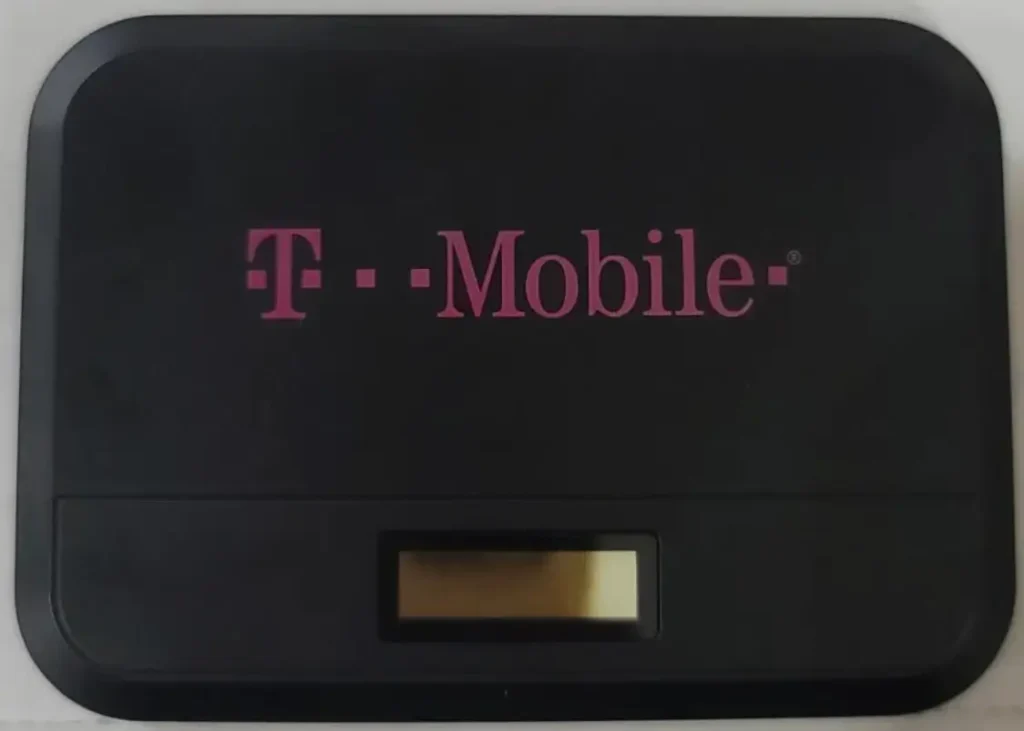
The Franklin T9 (model RT717 / R717) is a popular 4G LTE mobile hotspot originally sold and distributed by T-Mobile in the United States. Millions of these devices were given out through T-Mobile’s Project 10Million and other programs, making them one of the most widely available hotspots on the secondhand market.
Table of Contents
The device ships locked to T-Mobile’s network, but can be permanently unlocked with an 8-character unlock code to work with other GSM carriers like AT&T, Mint Mobile, Cricket, and international providers.
Franklin T9 Specifications
| Specification | Details |
|---|---|
| Model Number | RT717 / R717 |
| Processor | Qualcomm MDM9207 |
| Network | 4G LTE / 3G |
| LTE Bands | B2, B4, B5, B12, B25, B26, B41, B66, B71 |
| Max Download | 150 Mbps (LTE Cat 4) |
| Wi-Fi | 802.11 b/g/n/ac (2.4 GHz + 5 GHz) |
| Max Connected Devices | 15 |
| Battery | 2,450 mAh (removable) |
| Charging | Micro USB |
| SIM Type | Standard SIM (Mini SIM) |
Compatible Carriers After Unlocking
Once unlocked, the Franklin T9 works with any GSM carrier that operates on its supported LTE bands. Compatible networks include:
- United States: AT&T, Mint Mobile, Cricket Wireless, Google Fi, US Mobile, Metro by T-Mobile
- International: Any GSM carrier worldwide operating on bands 2, 4, 5, 12, 25, 26, 41, 66, or 71
Important: The Franklin T9 is a GSM-only device. It will not work with CDMA carriers (Verizon, US Cellular) even after unlocking.
How to Unlock the Franklin T9
Connect to Your Hotspot
- Power on your Franklin T9
- Connect to its WiFi network from your computer or phone
Access the Web Interface
- Open a web browser and go to http://mobile.hotspot/
- This loads the Franklin T9’s management dashboard
Find Your IMEI Number
- Navigate to http://mobile.hotspot/about/
- Copy the 15-digit IMEI number displayed on this page
- Alternatively, check the sticker under the battery
Purchase Your Unlock Code
- Go to our Franklin Unlock Code page
- Enter your IMEI number and email address
- Complete the payment — your 8-character unlock code will be delivered to your email
Enter the Unlock Code
- In the web interface, go to Settings > Mobile Network > SIM
- Under Carrier Unlock, set Desired Action to Carrier Unlock
- Paste the 8-character code into the Enter Unlock Code field
- Click Unlock
Reboot and Insert New SIM
- The router will reboot automatically
- Power off, insert a non-T-Mobile SIM card
- Power on — the device is now permanently unlocked
Frequently Asked Questions
Will the Franklin T9 work with AT&T after unlocking?
Yes. The Franklin T9 supports AT&T’s primary LTE bands (2, 4, 5, 12, 66). After unlocking, insert an AT&T SIM and it will connect automatically.
Can I use this with Verizon?
No. The Franklin T9 is a GSM device and does not support Verizon’s CDMA network. It works with T-Mobile, AT&T, and their MVNOs (Mint, Cricket, Metro, etc.).
Is the unlock permanent?
Yes. Once the 8-character code is entered and accepted, the device is permanently unlocked. It survives factory resets and firmware updates.
Do I need to configure APN settings?
In most cases, the device will auto-detect the new carrier’s APN. If it does not connect, go to Settings > Mobile Network > APN in the web interface and manually enter your carrier’s APN details.
What about Band 71 support?
Yes. The Franklin T9 supports Band 71 (600 MHz), T-Mobile’s extended range LTE band. This provides excellent coverage in rural areas and indoors. This band is also used by some carriers in Canada and other countries.
Watch: Franklin T9 Unlock Demonstration
Get Your Franklin T9 Unlocked Today
Contact us through any of the channels below — we are available 24/7.

2 Comments
Mwen gen yon routeur ki Franklin ki bloquer sou reseting kisa poum fè poum résoudre problèm sa ?
Ou bezwen flache li.