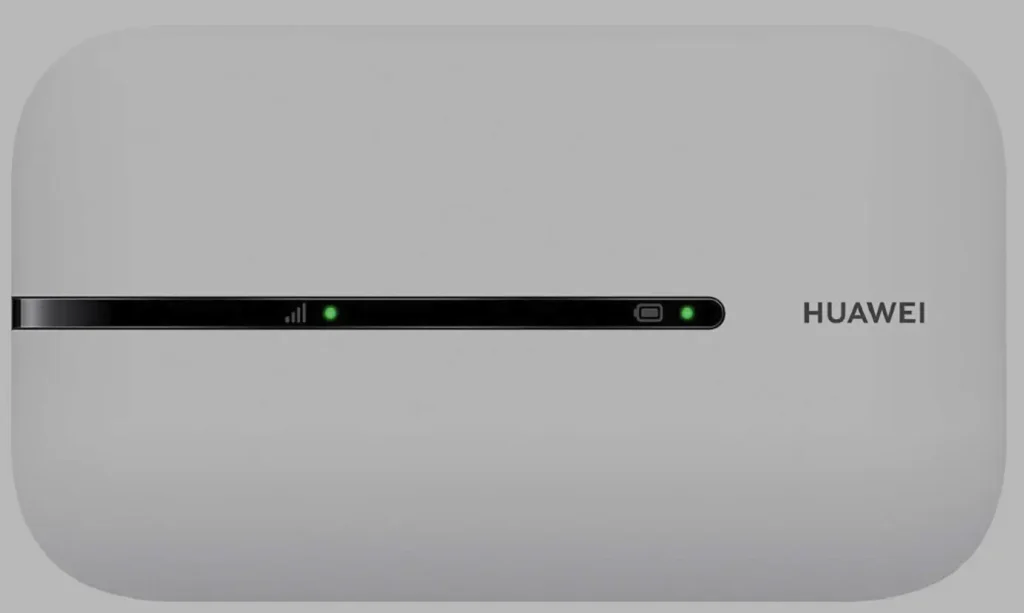
The Huawei E5576 is one of the most widely sold 4G LTE mobile WiFi devices globally, known for its compact design, affordable price, and reliable performance. Carriers like Vodafone, Airtel, Orange, EE, Surfline, MTN, Zain, and STC sell these devices locked to their network across Europe, Africa, and the Middle East.
Table of Contents
The E5576 series uses Algorithm Version 5 for its SIM lock — a more secure encryption than older Huawei models. Unlocking requires a 16-digit alphanumeric V5 code generated from your IMEI number.
Supported E5576 Models
| Model | Common Carrier | Network | Region |
|---|---|---|---|
| E5576 | Various | 4G LTE Cat 4 | Global |
| E5576-230a | Orange, Vodafone | 4G LTE Cat 4 | Europe |
| E5576-320 | Vodafone, EE | 4G LTE Cat 4 | Europe / UK |
| E5576-322 | Various | 4G LTE Cat 4 | Europe |
| E5576-325 | Various | 4G LTE Cat 4 | Europe |
| E5576-508 | Airtel, MTN | 4G LTE Cat 4 | Africa |
| E5576-606 | Surfline, Spectranet | 4G LTE Cat 4 | West Africa |
| E5576-855 | Zain, STC | 4G LTE Cat 4 | Middle East |
| E5576-856 | Various | 4G LTE Cat 4 | Middle East / Asia |
Other E5576 sub-models not listed are also supported. Contact us on WhatsApp with your model number to confirm.
V5 vs Older Unlock Code Versions
The E5576 uses Version 5, which is different from older Huawei devices:
| Feature | Version 1–4 (Older) | Version 5 (E5576) |
|---|---|---|
| Code Format | 8-digit numeric | 16-digit alphanumeric |
| Security | Basic | Advanced encryption |
| Compatibility | 3G/older 4G devices | Newer 4G and all 5G devices |
| Generation | Widely available online | Requires specialized tools |
Important: A V1–V4 code will not work on the E5576. You must use a V5 code.
How to Unlock Your Huawei E5576
Access the Web Interface
- Power on your E5576 and connect via Wi-Fi or USB
- Open a browser and go to 192.168.8.1
- Log in with default credentials — typically admin / admin
Find Your IMEI Number
- Go to Device Information or About
- Copy the 15-digit IMEI number
- You can also find it on the sticker under the battery
Purchase Your V5 Unlock Code
- Go to our Huawei V5 Unlock Code page
- Enter your IMEI number and email address
- Complete the payment — your 16-digit V5 code will be delivered to your email
Insert a New SIM Card and Unlock
- Power off the device
- Insert a SIM card from a different carrier
- Power on and go to 192.168.8.1
- The dashboard will prompt for an unlock code
- Enter the 16-digit V5 code and click Submit
- Your E5576 is now permanently unlocked
Configure APN Settings (If Needed)
If the internet does not connect after unlocking:
- Go to Settings > Network > APN
- Create a new APN profile with your carrier’s details
- Save and restart the device
Frequently Asked Questions
Why is the V5 code more expensive than older versions?
Version 5 uses advanced encryption that requires specialized generation tools. Unlike V1–V4 codes which can be generated with basic algorithms, V5 codes require proprietary computation, making them more costly to produce.
Is the unlock permanent?
Yes. Once the V5 code is accepted, the E5576 is permanently unlocked. It works with any SIM card even after firmware updates or factory resets.
I have a Surfline/Spectranet E5576-606 — will this work?
Yes. The E5576-606 is one of our most frequently unlocked models. We have a 100% success rate with Surfline and Spectranet locked devices.
How long does code delivery take?
Most V5 codes are delivered within 1 to 24 hours. Some may take up to 48 hours for less common sub-models.
Watch: E5576 Unlock Demonstration
Get Your E5576 Unlocked Today
Contact us through any of the channels below — we are available 24/7.