













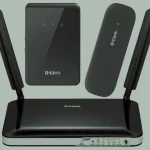
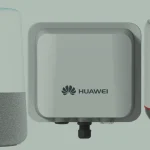
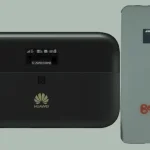
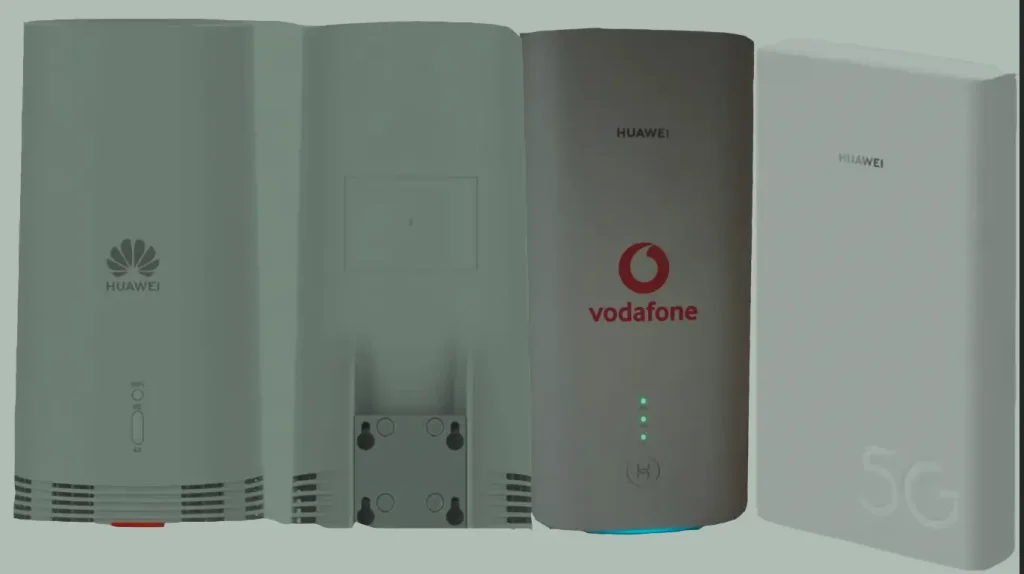
Huawei 5G CPE (Customer Premises Equipment) routers are among the most widely deployed 5G home broadband devices globally. Models like the H112-372 (5G CPE Pro), H122-373 (5G CPE Pro 2), and H312-371 (5G CPE Win) deliver multi-gigabit speeds powered by Huawei’s Balong 5000 chipset, supporting both NSA and SA 5G networks.
Table of Contents
These routers are sold through carriers like Vodafone, EE, O2, Telstra, Zain, STC, Optus, Three, and Orange — and arrive network-locked. Unlocking requires a Version 5 (V5) unlock code, a 16-digit alphanumeric code that permanently removes the carrier restriction.
What Is a Version 5 Unlock Code?
Huawei 5G routers use Algorithm Version 5 for their SIM lock mechanism — a newer and more secure encryption than the older V1–V4 algorithms used on 3G/4G devices. The V5 code is:
- A 16-digit alphanumeric code (letters and numbers)
- Generated from your device’s IMEI number using the V5 algorithm
- Entered once — the unlock is permanent and survives firmware updates and factory resets
- The only method available to unlock these 5G models — no software or remote unlock alternative exists
Supported Huawei 5G CPE Models
We generate V5 unlock codes for all Huawei 5G CPE routers. Verified models include:
| Model | Marketing Name | Chipset | Max Download Speed |
|---|---|---|---|
| H112-370 | 5G CPE Pro | Balong 5000 | 1.65 Gbps (5G) / 1.6 Gbps (LTE) |
| H112-372 | 5G CPE Pro | Balong 5000 | 1.65 Gbps (5G) / 1.6 Gbps (LTE) |
| H112-380 | 5G CPE Pro | Balong 5000 | 1.65 Gbps (5G) |
| H122-372 | 5G CPE Pro 2 | Balong 5000 | 3.6 Gbps (5G) |
| H122-373 | 5G CPE Pro 2 | Balong 5000 | 3.6 Gbps (5G) / 1.6 Gbps (LTE) |
| H122-379 | 5G CPE Pro 2 | Balong 5000 | 3.6 Gbps (5G) |
| H138-380 | 5G CPE Pro | Balong 5000 | 2.3 Gbps (5G) |
| H151-370 | 5G CPE | Balong 5000 | 2.3 Gbps (5G) |
| H155-380 / H155-381 / H155-382 / H155-383 | 5G CPE | Balong 5000 | 2.3 Gbps (5G) |
| H158-381 | 5G CPE | Balong 5000 | 2.3 Gbps (5G) |
| H165-383 / H168-383 | 5G CPE (new gen) | Balong 5000 | 2.3 Gbps (5G) |
| H312-371 / H312m-371 | 5G CPE Win | Balong 5000 | 2.3 Gbps (5G) |
| H352-381 / H352-382 | 5G CPE | Balong 5000 | 2.3 Gbps (5G) |
| H362-383 | 5G CPE | Balong 5000 | 2.3 Gbps (5G) |
| N5368X | 5G CPE Outdoor | Balong 5000 | 2.3 Gbps (5G) |
Other Huawei 5G models not listed above are also supported. Contact us on WhatsApp with your model number to confirm.
Why Unlock Your Huawei 5G Router?
- Use any 5G/4G SIM card — switch freely between carriers for the best speed and price
- International flexibility — use local SIM cards when traveling instead of paying roaming fees
- Higher resale value — unlocked 5G routers sell for significantly more than locked ones
- No contract dependency — use the device after your carrier contract ends without restrictions
How to Unlock Your Huawei 5G CPE Router
Access the Router’s Web Interface
- Power on your Huawei 5G CPE router
- Connect your computer or phone via Wi-Fi or LAN cable
- Open a browser and go to 192.168.8.1
- Log in with the default credentials — typically admin / admin (check the label on your device)
Find Your IMEI Number
- In the web interface, go to Device Information or About
- Copy the 15-digit IMEI number
- Alternatively, check the sticker on the bottom or back of your router
Purchase Your Version 5 Unlock Code
- Go to our Huawei V5 Unlock Code page
- Enter your IMEI number and email address
- Complete the payment — your 16-digit V5 unlock code will be delivered to your email
Insert a New SIM Card
- Power off the router
- Remove the original SIM card and insert a SIM from a different carrier
- Power the router back on
Enter the Unlock Code
- The web interface at 192.168.8.1 will prompt you for the unlock code
- Enter the 16-digit V5 code you received and click Apply
- Your router is now permanently unlocked — it will accept any SIM card
Configure APN Settings (If Needed)
If your router does not auto-connect to the new network:
- Go to Settings > Network > APN in the web interface
- Create a new APN profile with the settings from your carrier
- Save and restart the router
Compatible Carriers
Our V5 unlock codes work for Huawei 5G CPE routers locked to any carrier worldwide, including:
| Region | Carriers |
|---|---|
| Europe | Vodafone, EE, O2, Three, Orange, T-Mobile, Deutsche Telekom, Swisscom, A1, Telenor, Telia |
| Middle East | Zain, STC, du, Etisalat, Ooredoo, Mobily |
| Africa | MTN, Airtel, Safaricom, Glo, Surfline, Spectranet |
| Asia Pacific | Telstra, Optus, Globe, Smart, Singtel, Digi |
| Americas | Rogers, Bell, Telus |
Frequently Asked Questions
Is the Version 5 code the same as a regular unlock code?
No. Huawei 5G routers use Algorithm Version 5, which generates a 16-digit alphanumeric code instead of the older 8-digit numeric codes used on 3G/4G devices. You cannot use a V1–V4 code on these models.
How long does delivery take?
Most V5 codes are delivered within 1 to 24 hours after payment. Some codes may take up to 48 hours depending on the model and carrier.
Will the unlock survive firmware updates?
Yes. The V5 unlock is permanent and persists through firmware updates and factory resets. You will never need to re-enter the code.
What if the code does not work?
If the code does not unlock your device, contact us and we will investigate. We offer a full refund if we cannot provide a working code for your model.
Watch: Huawei 5G CPE Unlock Demonstration
See how to enter the V5 unlock code on a Huawei 5G CPE router:
Get Your Unlock Code Now
Contact us through any of the channels below — we are available 24/7.

10 Comments
Is there unlock code on other model like H153-381?
Yes, code is available for this model. You can go ahead and make payment then wait for the code.
any proof of succesful unlock h155-382?
Read the reviews and watch the videos on the website.
Hello, are huawei H122-373 unlock code?
Yes, unlock code is available for this model.
Hello, is unlock code available for zowee h362-383 locked to Airtel Tanzania?
Yes, the code is available. You can go ahead and pay for the code.
How much will it cost for an unlock code for H112-370
Enter your imei on the page: https://techunlockhub.com/algo-version-5-unlock-code/
The price for your model will show.